
A logo can appear on a business card, in a website header or on a several‑metre sign. The design is the same, but each application requires a file with specific characteristics. Hence the different versions in JPG, PNG, SVG or PDF.
When I prepare a brand's files, I think about how they will be used: at what size, on what background and with which printing or display system. Choosing the right format helps preserve the sharpness, transparency and the logo's colors.

In this guide I explain what each format is used for, what limitations it has and what should be checked before sending the logo to a printer or uploading it to the web.
JPG, PNG, SVG and PDF: differences at a glance
| Format | When to use it | What to watch out for |
|---|---|---|
| JPG / JPEG | Photos and images with opaque background. | Lossy compression; does not support transparency. |
| PNG | Logos with transparent background in applications that require pixel images. | Cannot be enlarged indefinitely without losing sharpness. |
| SVG | Vector logos and icons on the web. | You need to verify that the content is truly vector and that the platform supports it. |
| Delivery of the logo and final artwork for printing, with the agreed adjustments. | May contain vectors, pixels or both. The extension does not guarantee quality. | |
| WebP | Images optimized for the web, also with transparency. | It is a pixel format; does not replace the original vector. |

Pixels or vectors: the difference that matters
A pixel image is a grid of colored dots. A vector drawing describes shapes and curves. If you enlarge a small image a lot, the available dots are not enough to define the outlines; a vector path is recalculated to the needed size.


Therefore a logo built with vectors can be adapted to a card or a sign without the strokes pixelating. This does not remove the need to review the design: a very fine detail can disappear when the logo is printed small, even if the file is vector. The file quality and the design readability are different issues.
JPG: practical for photos, limited for logos
JPG and JPEG are the same format. Lossy compression allows reducing the size of photos, but can create spots and irregularities around letters and edges. Moreover, JPG does not support transparent backgrounds.


I would use it for a photograph of a product or a finished composition with an opaque background. I would not keep it as the sole original of the logo. If you need a JPG for a specific platform, export it from the high‑quality file and avoid repeatedly saving already compressed copies.
PNG: transparent background, but with a specific size
PNG supports transparency and uses lossless compression. It’s practical for placing a logo on a photograph or a colored background in a presentation. This does not mean that every PNG has a transparent background: it can also contain a white rectangle.


Saving a JPG as PNG does not remove the background nor recover lost detail. You need an export with real transparency and appropriate dimensions. A PNG that is 300 pixels wide continues to have 300 pixels even if you place it much larger.
Practical example: if you need to display the logo at 400 pixels wide on a double‑density screen, an export of 800 pixels may be appropriate. It’s an example of dimensions, not a universal size for all platforms.
SVG: the vector logo on the web
SVG allows representing shapes and text, and can also incorporate pixel images. Therefore, a file ending in .svg does not by itself prove that the logo is vectorial. If it only contains an embedded JPG, the JPG retains its limitations.

When the logo is built with paths, SVG is a useful option for displaying it at different sizes on the web. Before delivering it, I would check that it renders correctly, that it doesn’t depend on a missing font and that it doesn’t include unnecessary external resources. Some platforms restrict uploading SVG; in that case, a compatible alternative is needed.
PDF: what you need to send to the printer
A PDF can combine vectors, text and photographs. It is useful for sharing a logo and delivering a finished composition, but a logo PDF is not the same as the PDF prepared for printing a flyer.
In the first case, the provider needs the graphic asset to apply it. In the second, they need a final‑format document, with margins, bleed if applicable, correct fonts and images, and colour treatment appropriate to the process. PDF/X settings, profiles and marks must be agreed with the printer; it’s not advisable to apply the same recipe to every product.

Putting a screenshot inside a PDF does not convert it to vector nor automatically prepare it for printing. If you are preparing a publication, I explain the rest of the materials in what I need to prepare to commission a catalog.
What about WebP, AI and EPS?
WebP supports lossy or lossless compression and transparency. It is useful for reducing the size of web images when the export and quality allow it. It remains a pixel image.

AI is the native format of Adobe Illustrator. It can be part of the project's editable files if delivery has been agreed. EPS also appears in some production workflows. I wouldn't request every format as a matter of course: I would ask for a high‑quality original, the necessary exports, and an explanation of when to use them.
Three mistakes a converter doesn’t fix
- Change the extension. Renaming logo.jpg to logo.svg does not transform the file's content.
- Enlarge a small image. Adding pixels by interpolation does not faithfully recover the original drawing. In a logo, the exact shape must be preserved.
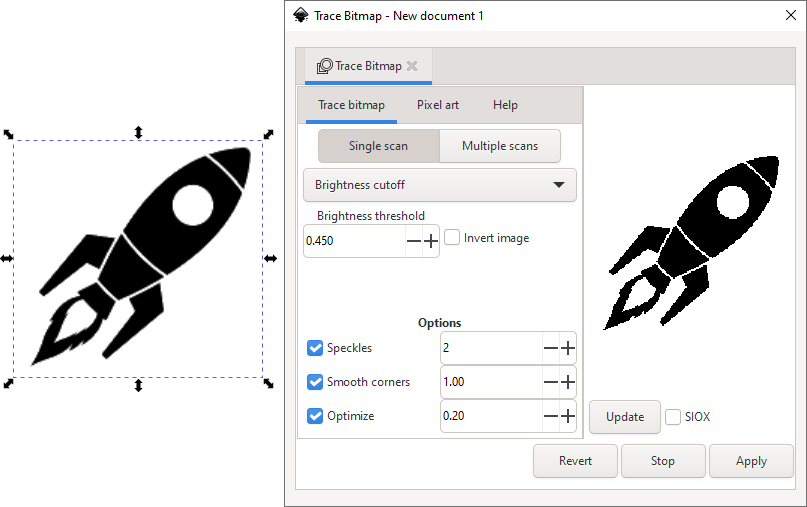
- Assume any automatic vectorization is accurate. The result can alter curves, letter spacing and proportions. It must be compared with a reliable reference and corrected.
If you only have a small image, I would first look for the original file among the project materials or ask the brand creator for it. If it doesn’t exist, rebuilding the logo should be considered; I wouldn’t present an automatic conversion as if it were the original.
Which files would I request at the end of a project?
- A reviewed vector original and exports compatible with the intended uses.
- An SVG for the web, when appropriate, and transparent PNGs with specified dimensions.
- A PDF with the vector logo to share with suppliers, without confusing it with the final artwork of each application.
- Color versions, monochrome versions and versions for light or dark backgrounds as the design requires.
- A brief usage guide and file names that allow distinguishing the versions.

For example, marca-principal-fons-clar.svg is more useful than logo-final-definitiu-3.svg. Organization also forms part of a professional delivery. If you want to assess the overall service, you can read what a visual identity project should include.
File questions? Straightforward answers
The question usually arises when you have to send the file. Open the question that matches your case.
My logo appears with a white rectangle. How do I remove it?
First check if the file has real transparency. A JPG cannot have it. Request a transparent PNG or an appropriate SVG: changing the extension or saving the JPG as PNG does not remove the background.
PNG or JPG: which will look better?
For a logo with clean edges and a transparent background, usually PNG. For a photo with an opaque background, JPG can work well with appropriate compression. The original quality and dimensions remain decisive.
I have a PNG. Can I already send it to print?
It can work if it has sufficient effective resolution for the size and process. However, if the logo is built with strokes, vector gives more flexibility. Send the final dimensions to the supplier and confirm what they need.
It says “PDF”: does that mean it contains vector graphics?
No. A PDF can contain vectors, a photograph or a screenshot. The objects need to be inspected; the extension does not certify either quality or preparation for printing.
If I convert it to SVG, will it stop pixelating?
Only if the content has truly been rebuilt with vectors and has been reviewed. A JPG embedded inside an SVG remains a JPG. Automatic vectorization can change shapes, spaces and proportions.
How can I tell if I've received a genuine vector file?
Zooming in helps detect problems, but it is not a definitive test. The reliable verification is to open it with a suitable tool and check that the logo is made of paths, not just an embedded image.
The best format is the one suited to the intended use
To me, delivering a logo shouldn't end up with a folder full of extensions that the client can't distinguish. It should enable the client to use the logo appropriately and send each supplier the material they need.

Related readings: What should a visual identity project include? and What do I need to prepare to order a catalog?.
Don't miss any article
Subscribe to the blog and receive the new articles about graphic design, visual identity and communication by email.
Subscription is free and you can unsubscribe whenever you want. See the legal notice and privacy policy.